Planning a 10 to 15 Page Business Website: Which Pages You Need (2026)
Which pages a growing business website needs, how many of each, and why every page earns its place on Google and in AI answers, from Google's own guidance.
A growing business website of 10 to 15 pages works well with this plan: a home page, one page for each main service, a page for each area where you have something true to say about it, an about page, an FAQ page, a contact or booking page, and pages that show your work. Google’s own SEO starter guide gives no ideal number of pages, and Google says there’s no magical word count either. What it asks for is helpful, people-first content, so every page below has a clear job. Our Specialist build covers a site this size: from $1,500 inc. GST, up to 15 pages, with a design made for your industry.
The page plan at a glance
SEO (search engine optimisation) means setting a site up so Google and AI search tools can find it and understand it. Here’s the job each page does. The sections below show why each one helps.
| Page | How many | Its job |
|---|---|---|
| Home | 1 | points visitors to the pages that matter most |
| Service pages | 1 per main service | gives each service its own page, address and answers |
| Area pages | where you have something locally true to say | shows the work you really do in each area |
| About | 1 | shows who is behind the business |
| FAQ | 1 | answers buyers’ real questions in plain text |
| Contact or booking | 1 | turns a visitor into an enquiry or a booking |
| Proof pages | where you have work to show | shows your own work |
For example, a business with 4 main services and 3 areas it really serves would have 1 home page, 4 service pages, 3 area pages, an about page, an FAQ page and a contact page, plus pages that show its work.
Home page
Google says it “primarily finds pages through links from other pages it already crawled”.
Crawling means Google’s software reading your site by following its links. In its guide for online shops, Google also says that the more links a page has to it within a site, the higher its relative importance. So your home page should link to your main services, your proof and your contact page. That tells both people and Google which pages matter most.
A page for each main service
Google’s starter guide says that when you’re setting up a site, “it can be good to organize it in a logical way,” and to “include words in the URL that may be useful for users.” A URL is the page’s web address. One page per main service gives each service its own address, such as /bathroom-renovations/, and room to answer the questions buyers ask about that service.
Keeping each service page close to what you actually sell gives your site a clear focus. Google’s helpful content guidance asks, “Does your site have a primary purpose or focus?”
Pages written on many different topics in the hope that some rank are one of the warning signs Google lists.
Area pages, where they’re true
Area pages (one for each suburb or town you serve) need the most care. Google’s spam policies describe “doorway abuse” as pages “created to rank for specific, similar search queries” that lead people to pages “that aren’t as useful as the final destination.” One of its examples is “pages targeted at specific regions or cities that funnel users to one page.”
So build an area page when you have something true and local to say there, such as the jobs you’ve done in that area or how you work there. The same page with the suburb name swapped is the kind of page Google warns about.
About page
Google’s guidance on helpful content asks: “Is it self-evident to your visitors who authored your content?” and “Do pages carry a byline, where one might be expected?” A byline is the line that says who wrote something. Your about page is where visitors find out who’s behind the business, and it gives every other page a real person to point back to.
FAQ page
Google stopped showing FAQ rich results (the drop-down questions under a search result) in May 2026. The questions and answers still earn their place. Google’s advice for its AI features, such as AI Overviews and AI Mode, includes “making sure that important content is available in textual form.” An FAQ page answers buyers’ real questions in plain text that people, Google and AI tools can all read.
Contact or booking page
This is where a visitor becomes an enquiry. Google’s advice for AI features includes “checking that your Merchant Center and Business Profile information is up-to-date”.
A Google Business Profile is your business listing on Google, so your contact page and that profile should give the same details.
If your customers book online, a booking engine (a tool that takes bookings on your site) can sit on this page. Integrations such as booking engines are included in our Specialist build.
Proof pages
Proof pages show your past work: projects, case studies and reviews. Photos and details of your own jobs count as original information. Google’s helpful content guidance asks, “Does the content provide original information, reporting, research, or analysis?”
One thing to know about reviews: Google says that when a business controls the reviews about itself, its pages using business structured data are “ineligible for star review feature”.
Structured data is code that describes a page to Google. Reviews on your own site still help visitors decide, but they won’t earn review stars in Google’s results.
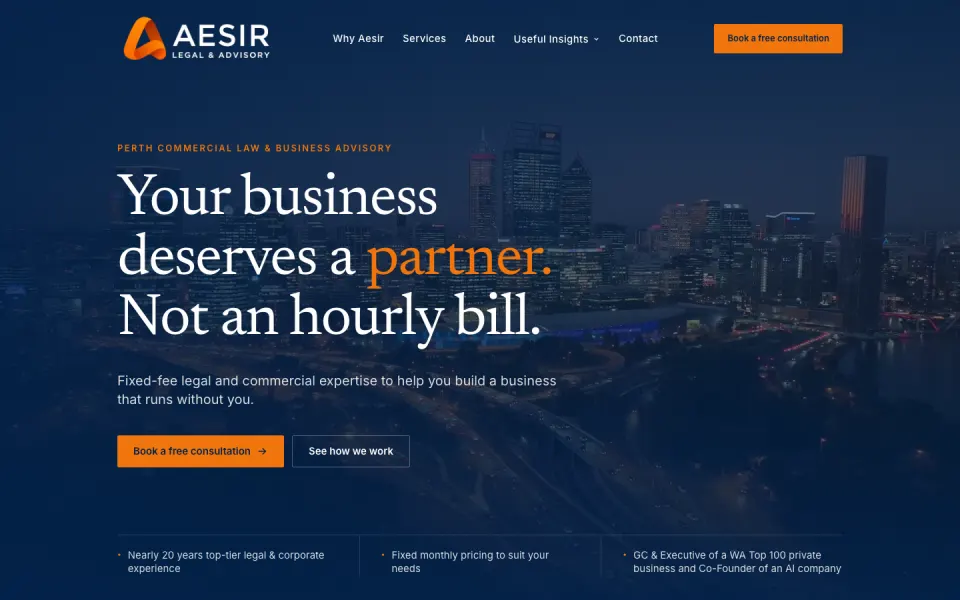
Aesir Legal, a Perth law firm practising commercial law, is one of our live Specialist builds. Its site has an edge-to-edge Perth skyline video, a moving founder portrait and an interactive diagnosis tool that lets a business owner self-assess, then book. You can see it and other live builds on our work page.
How pages appear in Google’s AI features
Google says there are “no additional requirements to appear in AI Overviews or AI Mode, nor other special optimizations necessary.” To be shown as a link in those answers, a page “must be indexed and eligible to be shown in Google Search with a snippet.” Indexed means Google has read the page and stored it, ready to show in results.
Google’s best practices for AI features include:
- Internal links. “Making your content easily findable through internal links on your website.”
- Text, not just images. “Making sure that important content is available in textual form.”
- Structured data that matches the page. “Making sure your structured data matches the visible text on the page.”
How pages are counted for a quote
We count uniquely designed pages. Privacy and terms pages generally don’t count. Blog posts and news articles don’t count as newly designed pages either, so a growing blog doesn’t push up your build price.
Our Specialist build covers up to 15 pages, from $1,500 inc. GST.
Outside our fixed packages, each newly designed page is quoted at roughly $100 a page up to 15 pages, with a lower price per page above 15. As a rough guide, 10 pages is about $1,000, 20 pages is about $1,900 and 30 pages is about $2,500.
Not sure which fits your site? We work it out with you on a 30-minute call. Whatever the page count, the price is fixed before any work starts. On that call we agree the scope, the price and the timeline, and you get a one-page summary in writing before you pay. Your payment through Stripe starts the build. Extra pages and development are quoted up front.
For more on what bigger sites cost, from 10 to 30 pages, see our guide to website cost by number of pages.
Bigger than 15 pages
A bigger site is a custom quote, and we do those too. Every build, including projects over 15 pages, gets unlimited revisions until you’re 100% happy with the final site. For a build over 15 pages, the timeline is agreed in writing on the call.
Bigger builds can be paid 50/50: half at the start and half at launch. Split payments through Klarna are also available.
Hosting is free on our usual stack (the tools and services the site runs on). For a bigger project we recommend the stack that best fits it, so hosting is usually free, and your quote confirms it.
We aren’t tied to one platform. If you specifically want your site built on WordPress, we build it on WordPress. We recommend the setup that suits the project, and you choose. A WordPress build is quoted and fixed in writing before you pay.
What the Specialist build includes
The Specialist build is from $1,500 inc. GST (the 10% goods and services tax), a one-off price. It’s built for regulated industries and businesses targeting niche buyers. It includes everything in our Standard build, plus:
- More advanced custom design, and a design made for your industry: tradie, allied health, cosmetic clinic, real estate or hospitality.
- Industry compliance built in, for rules such as AHPRA (the Australian Health Practitioner Regulation Agency), ACCC (the Australian Competition and Consumer Commission) and GST display rules. We build the layout the rules call for and check it before launch. It isn’t legal advice.
- Integrations included: booking engines and other booking tools, Google Business schema (code that tells Google your business details) and capability PDFs (documents that set out what your business can do). If you already have a capability statement PDF, we put it on your site for free. Writing a new one is a separate job, quoted separately.
- Up to 15 pages.
- Unlimited revisions.
- Security hardening and vulnerability fixes at launch.
- An optional case-study write-up. You sign it off, or skip it.
- Free hosting and no ongoing cost.
From the Standard build, you also get a mobile-first design that loads in under a second on 4G and scores Lighthouse 95+ on mobile (Lighthouse is Google’s free speed and quality test), an editor where you change words and images yourself with no code, SEO set up for Google and AI search, GA4 (Google Analytics 4) set up properly, and you own everything: the site, the code and the content.
Writing 10 to 15 pages of words is a big job. We offer copywriting (writing the page words for you) on every build, and AI-assisted copy is free. If you already have your own words, we help you refine them.
Specialist builds are delivered within 7 business days of the kickoff call. If you’re moving from an old site, we set up redirects (sending old page addresses to the new ones). Before launch we set up Google Search Console, Bing Webmaster Tools and Google Analytics for free, and keep an eye on them until handover, generally one to two weeks after the site goes live.
A care plan is optional. The Specialist care plan is from $79 a month, includes 30 minutes of content updates, and includes monitoring of your regulator’s rules, such as AHPRA, ACCC or your industry body. The first month is free, and you can cancel any month with 14 days’ notice.
If five pages is enough for now, our Standard build is a 5-page website for $500 inc. GST.
Start a Specialist build, or see every package on our pricing page.

CatalystHub
From$1,500 inc. GST
for up to 15 pages, with industry compliance and integrations built in
Start my Specialist buildSmaller or bigger project? See all packages and custom quotes